

I have 200+ songs on my computer and I keep getting more and more. I'm tired of buying and burning CDs every time I turn around. So...what do you guys use to store music so you can play it in the car? I'm thinkin about an MP3 player that holds 2+GB. Any suggestions of a good one?

Member
Use an iPod (any flavor) and get a line in to your reciever, that's what I did/am doing.. For better audio quality, get an adapter to give you actual Line OUt from the iPod. It's like the headphone jack, but it skips the intenal amplifier, so you get better audio quality.
somwhat related.. If video isn't a huge deal to you, save the money, buy a color fourth gneration iPod off ebay. You save money, and for various reasons, I like them much beteer. Video is kinda cool on the new iPods, but having used both, and having an iPod Photo (basicly a color screen) I certainly prefer it more. I can give detaisl if you want.
somwhat related.. If video isn't a huge deal to you, save the money, buy a color fourth gneration iPod off ebay. You save money, and for various reasons, I like them much beteer. Video is kinda cool on the new iPods, but having used both, and having an iPod Photo (basicly a color screen) I certainly prefer it more. I can give detaisl if you want.

TGO Supporter
Jim85IROC
TGO Supporter
close
Oct 4, 2024
Compact disc. I've never been a big fan of compressed media.
Member
Quote:
That's why Apple created Apple Lossless Encoding.. Around 1000 kbps.. Probable not perfect, but for a car enviroment, it's probably good enough for sure.. And thats why the iPod comes up to 60 gb versions...Originally Posted by Jim85IROC
Compact disc. I've never been a big fan of compressed media. 

You could get a CD player that also plays MP3 files. Most of the newer cd players have this feature although it is compressed media.
TGO Supporter
Jim85IROC
TGO Supporter
close
Oct 4, 2024
Quote:
True enough. But, I'm on dial-up at home, which means no downloads for me, and spending all the time to rip my cds so I can put them on an i-pod type of widget just isn't my thing. I'm perfectly happy with a cd.Originally Posted by Justin Horne
That's why Apple created Apple Lossless Encoding.. Around 1000 kbps.. Probable not perfect, but for a car enviroment, it's probably good enough for sure.. And thats why the iPod comes up to 60 gb versions... Member
Quote:
A point I can certainly concede.. I was never big on actual cds, so it wasn't a big deal. That said, I have known a few people with hundreds of cds, and I'm sure many people have many more.. To spend the time ripping and naming and such, is a major pain.Originally Posted by Jim85IROC
True enough. But, I'm on dial-up at home, which means no downloads for me, and spending all the time to rip my cds so I can put them on an i-pod type of widget just isn't my thing. I'm perfectly happy with a cd. 
Supreme Member
yah i have a mp3 player in my iroc and its all i need... like over 140 songs per cd is enoght...after you get too many songs its kinda anoing try to find a sertian song you want to hear when you do want that sertian song. Its simple too just use nero in mp3 or just burn the mp3 files to a cd and te player reads em. I like it cause i can allways add to a cd and that way you can kinda get more then one use out of a plain cdr.
Or some cd players that have aux inputs or cd changer controls (with a proper input rca cord) lets you plug in any thing that acceps rca outputs like some mp3 players,, mp3 discmans or something like that for now.....even some ppl put home cheap dvd players into there cars as there dirt cheap now and you can alaways add a screen later,,and dvd players play wma mp3 all the good stuff. Maybe not good for shock/skiping value tho. but could get you by real cheap and you probably wouldnt have to buy much.
Or some cd players that have aux inputs or cd changer controls (with a proper input rca cord) lets you plug in any thing that acceps rca outputs like some mp3 players,, mp3 discmans or something like that for now.....even some ppl put home cheap dvd players into there cars as there dirt cheap now and you can alaways add a screen later,,and dvd players play wma mp3 all the good stuff. Maybe not good for shock/skiping value tho. but could get you by real cheap and you probably wouldnt have to buy much.

Supreme Member
I have a DEH-P8600 for a HU and just burn MP3 CDs. (Your going to get a glimpse of my OCD here) I have burnt all my CDs using Cakewalk Pyro which fills in the ID3 tag info automatically (WMP will to) and makes it vary easy to organize the files by artist then album. The file names are ‘Track#_Title.MP3. That makes finding a particular song easy with the ‘List” feature that some Pioneers have. Some MP3 HUs make finding a particular song a PITA. If you get an MP3 HU spend some money and get one with a good display, and a good ‘file finding’ system. The files that I burnt are all at 256K. I have a little over 50G of music, that’s about 10,000 songs. I just burn MP3 CD for the car. I can get over 150 songs on a CD. Some people don’t like compressed music, I’ll take the loss in quality for the ability to use my computer as a jukebox and get 5 Albums on 1 CD for the car. Some manufactures have MP3 CD changers, but no all. I’m still waiting for Pioneer to come out with a 6 CD changer that will play MP3s and work with there ‘list’ file feature. Most DVD players will only play MP3 CDs or MP3 DVD burnt with the right software, not just a plain data MP3 DVD. If you decide to go with an external MP3 player, almost ever one loves the IPod, I HATE them, to unreliable in the first gen. for me.


I've got a Kenwood Music Keg with a 20 gig hard drive for all my MP3's. Works great, just like a cd changer.

StevenK
Supreme Member
close


May 22, 2026
- Join DateFeb 2003
- LocationAustin, Tx
- Posts:1,508
- iTrader Positive Feedback100
- iTrader Feedback Score(1)
- Car91 Z28
- EngineLS1
- TransmissionT-56
- Axle/Gears3.73 Hawks 8.8
- Likes:184
- Liked:63 Times in 47 Posts
I also use an iPod.

The one in the picture is a 10GB 3g ipod, you can pick them up cheaply on ebay. In that picture I'm just using a stereo minijack to RCA plug wire to the back of my deck. Sounded perfect on my system, and you can very easily get to one particular playlist, song, artist, whatever because the ipod is so easy to use.
Right now my car is down for a motor swap, so I'm driving my truck. The truck has a CD player with no input, so I'm running a FM modulator on my new iPod Video and the sound quality is up to the nearly stock sound system in the truck, but occasionly I do have to change channels to get a clear sound. If you do get a FM modulator, make sure you get one that can do the entire range not just 3 or 5 preset frequencies.
As for the iPod 4g vs the Video, you can PM me if you want to discuss that, but I must say I'm loving my iPod video....
The one in the picture is a 10GB 3g ipod, you can pick them up cheaply on ebay. In that picture I'm just using a stereo minijack to RCA plug wire to the back of my deck. Sounded perfect on my system, and you can very easily get to one particular playlist, song, artist, whatever because the ipod is so easy to use.
Right now my car is down for a motor swap, so I'm driving my truck. The truck has a CD player with no input, so I'm running a FM modulator on my new iPod Video and the sound quality is up to the nearly stock sound system in the truck, but occasionly I do have to change channels to get a clear sound. If you do get a FM modulator, make sure you get one that can do the entire range not just 3 or 5 preset frequencies.
As for the iPod 4g vs the Video, you can PM me if you want to discuss that, but I must say I'm loving my iPod video....

Supreme Member
I've been using MP3 cd's and I love it. It's very nice being able to use the same CD for months at a time- even then I only burn a new disc to add on the newest tunes. My wonderful girlfriend got me an iPod for my birthday so I might see about hooking that up too.

Supreme Member
PERFECT SOLUTION.
Just wait one more month for the Pioneer 980BT or 9800BT
it does bluetooth audio, which means you can leave a PC in the trunk, under the seat, in the glovebox, or wherever... and have instant-seamless playback of your entire audio collection..
this is my plan, but since I couldn't wait any longer, I bought the 60GB Ipod video
I just use it in the tape player in my ws6... works great...
but I plan on using BOTH the bluetooth, and the ipod... since the Pioneer can use the ipods really well (well the NEW pioneers can, the old interface is an embarassment)
Just wait one more month for the Pioneer 980BT or 9800BT
it does bluetooth audio, which means you can leave a PC in the trunk, under the seat, in the glovebox, or wherever... and have instant-seamless playback of your entire audio collection..
this is my plan, but since I couldn't wait any longer, I bought the 60GB Ipod video
I just use it in the tape player in my ws6... works great...
but I plan on using BOTH the bluetooth, and the ipod... since the Pioneer can use the ipods really well (well the NEW pioneers can, the old interface is an embarassment)

Junior Member
I'm fabbing a stand for my lappy thats mounted to the front of the passenger seat, that will pivot and fold between the seat and console when i don't need it. Right now i sit it on the passenger seat and use it for movies on trips, gps, and music. Wouldn't trade it for anything else.

Supreme Member
I use a 20GB Rio Karma. Plays lossless FLAC files 
Supreme Member
I doubt anyone could hear the difference between a 230 VBR mp3 and a real CD
Supreme Member
just a tidbit for yah so yah know, some good ripping programs can go to the net automaticly and find all the song titles for you so you dont have to type them in when you put the disc in (it must know by the lenth of the songs and total time to identify it)...beside who cares just d/l them...but i wouldnt know anything about that.

Supreme Member
Quote:
I have 5000 songs on my harddrive 30gigs worth. Anyway I just started using mp3pro and was able to put over 200 songs on CD. And it sounds great with my DEH-P8400mp HU.Originally Posted by teapot3208
I have 200+ songs on my computer and I keep getting more and more. I'm tired of buying and burning CDs every time I turn around. So...what do you guys use to store music so you can play it in the car? I'm thinkin about an MP3 player that holds 2+GB. Any suggestions of a good one? Supreme Member
Quote:
isn't the p8400mp the 4 year-old model that flips out? similar to the 2 year-old p9600?Originally Posted by ringo234
I have 5000 songs on my harddrive 30gigs worth. Anyway I just started using mp3pro and was able to put over 200 songs on CD. And it sounds great with my DEH-P8400mp HU. either way, they only support mp3 and WMA as far as I have heard... so if you are fitting 200 songs, I doubt you ripped them in very high quality... (200 on WMA would be fine, but not MP3)
typically you can fit about 150 songs on a 700mb, ranging in length, obviously, with a quality of 192cbr, or 256vbr...
but that's so old-school bro... the new deal is the ipod interface... or the carPC interface...
they are currently working on having the car2pc interface so that it will emulate the ipod menus... making it kick even more ***...
keep an eye out

Junior Member
Anyone using a hard drive based form of media storage, keep in mind that a hard drive consists of moving parts which = easy failure when being bumped around. Also, most portable devices are based around laptop hdd's which are even worse then your normal desktop ones. A second factor is heat.
If you've already have a hard drive based MP3 player, then I'd say make sure your player and computer are in sync (as in, have all the same files on each) in case the drive dies. That way you can just reload the songs when you replace the drive. The Ipod Nano is based on flash memory, so you don't have to worry about the questionable life span. (which is why i want one! )
It's not the most organized setup, but alls I do is copy all my retail CD's. I realize I'm prob. not getting the same sound quality, but I figure I rather do that then put my retails through hell. (extreme temps, scratches, etc)
If you've already have a hard drive based MP3 player, then I'd say make sure your player and computer are in sync (as in, have all the same files on each) in case the drive dies. That way you can just reload the songs when you replace the drive. The Ipod Nano is based on flash memory, so you don't have to worry about the questionable life span. (which is why i want one!
)It's not the most organized setup, but alls I do is copy all my retail CD's. I realize I'm prob. not getting the same sound quality, but I figure I rather do that then put my retails through hell. (extreme temps, scratches, etc)
Supreme Member
Quote:
I'm sorry, but what the hell are you talking about? You should have nearly ZERO issues with data corruption/mechanical failures with a 2.5" laptop drive, and ABSOLUTE ZERO failures on a 1.8" drive... (think Ipod)Originally Posted by mwright1129
Anyone using a hard drive based form of media storage, keep in mind that a hard drive consists of moving parts which = easy failure when being bumped around. Also, most portable devices are based around laptop hdd's which are even worse then your normal desktop ones. A second factor is heat. Many people mount 3.5" drives in cars as well, and have no problems... it all depends on how you do it...
My ipod is in my glove box, and flops around, slaps back-and-forth, up-and-down... all over the place... Mechanical failure hardly crosses my mind... and I use it for between 4-10 hours a day... I pull it out and use it at work too.
Quote: )
I think most people keep all their music on their PC, and just keep a copy on their Ipods already... but you're right, good advice... ANY drive CAN fail... Murphy's Law... And what's especially-funny about your comment, is that flash-based devices are the ones with the limited lifespan... each sector on a flash-based storage medium can only be written to roughly 500,000 times... whereas, there is no such limitation on a magnetic-based drive. (either way, you have such a long lifespan, it's irrelevant.)Originally Posted by mwright1129
If you've already have a hard drive based MP3 player, then I'd say make sure your player and computer are in sync (as in, have all the same files on each) in case the drive dies. That way you can just reload the songs when you replace the drive. The Ipod Nano is based on flash memory, so you don't have to worry about the questionable life span. (which is why i want one! ) ** Sorry if I come off as an ***, but you were so off-base with your commentary that I almost choked to death on the soda I was drinking....
StevenK
Supreme Member
close
May 22, 2026
- Join DateFeb 2003
- LocationAustin, Tx
- Posts:1,508
- iTrader Positive Feedback100
- iTrader Feedback Score(1)
- Car91 Z28
- EngineLS1
- TransmissionT-56
- Axle/Gears3.73 Hawks 8.8
- Likes:184
- Liked:63 Times in 47 Posts
Your iPod only accesses the hard drive once every 4 or 5 songs....they designed it like that to help save the battery life and to avoid HD failures.
If you were to jolt your iPod while it is reading songs into its memory, it is very likely that you will scratch the surface of the platter and loose the drive.
Trust me, I know this first hand...
If you were to jolt your iPod while it is reading songs into its memory, it is very likely that you will scratch the surface of the platter and loose the drive.
Trust me, I know this first hand...


I'm a huge fan of regular ol' compact disks. I want to pop in 'Wish You Were Here', listen to the whole thing the way it was meant to be heard, then pop it out and listen to something else. I believe albums were meant to be heard in their entirety. If I dont like an album in its entirety, I dont buy it. I have no need for anything more than a quality CD player and a set of quality speakers.
Supreme Member
Quote:
If you were to jolt your iPod while it is reading songs into its memory, it is very likely that you will scratch the surface of the platter and loose the drive.
Trust me, I know this first hand...
You are right about the access... but mobile hard drives are designed specifically with that in mind... there is very little to worry about regarding physical trauma... I really don't see how the surface of the drive would get scratched either... possible data corruption, however very unlikely, is really the only danger...Originally Posted by StevenK
Your iPod only accesses the hard drive once every 4 or 5 songs....they designed it like that to help save the battery life and to avoid HD failures.If you were to jolt your iPod while it is reading songs into its memory, it is very likely that you will scratch the surface of the platter and loose the drive.
Trust me, I know this first hand...
unless by "jolt," you mean, "thrown from a car window at highway-speeds," then there's not to much cause for concern...
if we were talking about a 3.5" drive, then yeah, bumps are a big no-no...
oh yeah, and when the ipod is hooked up to the interface in the car... it's not running in regular operating mode... the Ipod interface is constantly accessing the hard disk... from what I can tell, the Ipod itself doesn't quite know what song is going to be playing next... I could be wrong, but I can feel the drive spinning a majority of the time...

Member
Ha, I had the same problem, have around 400 cds and couldn't keep them all in the car, my solution was the 60 GB Ipod and the Alpine interface to control it with the head unit. Works great.
StevenK
Supreme Member
close
May 22, 2026
- Join DateFeb 2003
- LocationAustin, Tx
- Posts:1,508
- iTrader Positive Feedback100
- iTrader Feedback Score(1)
- Car91 Z28
- EngineLS1
- TransmissionT-56
- Axle/Gears3.73 Hawks 8.8
- Likes:184
- Liked:63 Times in 47 Posts
Scrap, true, the 1.8 drive in the iPod is designed more in mind for portability. And in a car, you will practically never get a hard enough jolt to hurt it. Just keep it out of a backpack with some spare laptop batteries...that tends to break them :-(
I know what you mean about it acts different plugged in. On mine it does not access the HD all the time, I can tell because after I skip 3 or 5 songs, it pauses while it accesses the HD to get more songs.
I know what you mean about it acts different plugged in. On mine it does not access the HD all the time, I can tell because after I skip 3 or 5 songs, it pauses while it accesses the HD to get more songs.

Senior Member
i have a 10gig toshiba gigabeat.. because iPods suck and are not worth the money you pay.. you can buy an mp3 player that is a lot better than an ipod(most out there :P) for less money.. i like my gigabeat

Junior Member
The ipod is nice. A great player. I hate it because of Itunes. I can take any Mp3 and put it on any player. Drag and drop copy paste. It makes no difference. My boys ipod to me is a pain. If I want to put a song of his on my mp3 player it takes an act of god. I have 85 gig of music. Most of it is mine legit so to speak. Some is downloaded and some outright traded with people. I try to keep it in as high a bit format as possible. Using CDr's works for my wife and I but the boy wants to use his ipod. So the interface cable will be used in his car.
Supreme Member
Quote:
Well, up until recently, Ipod has been the only solution for in-car headunit usage...Originally Posted by TheBandit
i have a 10gig toshiba gigabeat.. because iPods suck and are not worth the money you pay.. you can buy an mp3 player that is a lot better than an ipod(most out there :P) for less money.. i like my gigabeat now, many decks are coming "Microsoft Plays For Sure"-ready which means you can use Creative, Toshiba, iRiver etc... works well
plus, it's hard to say Ipods "suck," considering you can put tons of different operating systems on there... I personally have rockbox as an alternative.. has lots of handy features, but when you are actually running the RockBox OS you can't sync with the in-car Ipod units... yet... as soon as they have that stuff figured out, I probably won't use the ipod software anymore...
if you hate iTunes, like me... just use WinAMP... works great.
Senior Member
ipods suck in the music quality.. they don't sound good imo.. but you are right, the microsoft plays for sure thing is not very good....because its micrsoft :P .. but i just use the AUX rca output on my headunit for my mp3

Supreme Member
I've been burning MP3 CD's for years now and I just get tired of trying to pick and choose what songs to put on a CDR since I only get 150-180 songs on there.
I hate swapping CD's in the car, so I burn a disc and listen to it for a few weeks or months.
I jiust recently got a Kenwood MP3 deck to replace my Alpine MP3 deck and I was given a new iPod interface box with the Kenwood (this allows full control of the iPod from the radio and charges the iPod) and I bought a used 30gig Video iPod earlier this afternoon. I didn't realize how small the iPod was, looks bigger in pictures.
I am thinking of routing the iPod cable under the center console and just put the iPod into the console's comparment.
iTunes is about 50% complete with the syncing of my music, only 3000 songs left to transfer.
I hate swapping CD's in the car, so I burn a disc and listen to it for a few weeks or months.
I jiust recently got a Kenwood MP3 deck to replace my Alpine MP3 deck and I was given a new iPod interface box with the Kenwood (this allows full control of the iPod from the radio and charges the iPod) and I bought a used 30gig Video iPod earlier this afternoon. I didn't realize how small the iPod was, looks bigger in pictures.
I am thinking of routing the iPod cable under the center console and just put the iPod into the console's comparment.
iTunes is about 50% complete with the syncing of my music, only 3000 songs left to transfer.
Senior Member
what did you do with your old alpine deck? 
Supreme Member
Quote:
A friend of mine is supposed to purchase it and a set of speakers from me tonight.Originally Posted by TheBandit
what did you do with your old alpine deck? this is the parts I got for ipod,
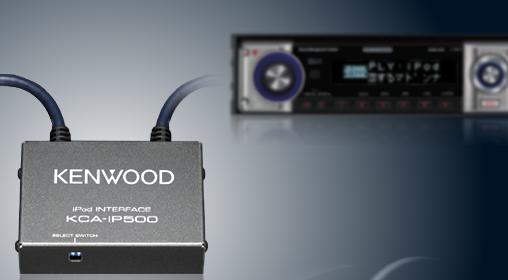
Supreme Member
Quote:
WOW! what a shitstorm of mis-information...Originally Posted by TheBandit
ipods suck in the music quality.. they don't sound good imo.. but you are right, the microsoft plays for sure thing is not very good....because its micrsoft :P .. but i just use the AUX rca output on my headunit for my mp3 Ipods are going to have nearly identical music quality as any other MP3 player on the market... there are no noticable differences. The signal to noise ratio is fine, and if you are using the ipod interface, you have even less to worry about, since the internal earphone amp in the ipod isn't being used much.
There's nothing wrong with the Microsoft Plays-for-Sure either... it's just that it's in it's infancy. It allows a much wider range of playback options... you aren't just limited to playlists and artists and whatnot... I believe you can do file/folder if you wish... which is an added benefit.
Lastly, I don't see how you use "the RCA output on your headunit for mp3"... I guess I missed a step... if that means what I think it means, then you will have an inferior sound quality to a straight USB connection via plays-for-sure, and evenstill, worse quality than the ipod interfaces, (which use analog audio.)
oh yeah, Zepher, don't get your hopes up on that Ipod interface... if you read any of the reviews, you will know what I'm talking about... luckily they are only $50, because if they cost any more than that, I'd start a class-action lawsuit...
Supreme Member
Quote:
Well, the interface works, it plays through the stereo just fine and I can change tracks and playlists.Originally Posted by ScrapMaker
oh yeah, Zepher, don't get your hopes up on that Ipod interface... if you read any of the reviews, you will know what I'm talking about... luckily they are only $50, because if they cost any more than that, I'd start a class-action lawsuit... I did notice that when I took the iPod out and put it back in the word "Resuming" stayed on the face of the radio while the songs played.
The only thing I don't really like is that with this kenwood, I don't think I can scroll through the songs on the disc or iPod and then select a song, like I could with MP3 CD's on my Alpine.
Supreme Member
Quote:
I did notice that when I took the iPod out and put it back in the word "Resuming" stayed on the face of the radio while the songs played.
The only thing I don't really like is that with this kenwood, I don't think I can scroll through the songs on the disc or iPod and then select a song, like I could with MP3 CD's on my Alpine.
exactly my point. You have VERY limited funtionality.Originally Posted by Zepher
Well, the interface works, it plays through the stereo just fine and I can change tracks and playlists.I did notice that when I took the iPod out and put it back in the word "Resuming" stayed on the face of the radio while the songs played.
The only thing I don't really like is that with this kenwood, I don't think I can scroll through the songs on the disc or iPod and then select a song, like I could with MP3 CD's on my Alpine.
On my Pioneer Ipod interface, which still sucks, I can hit 'list' and it brings up a full ipod menu. I can jump to playlists, artists, genres, etc... then once inside I can scroll through them all like an mp3 disc. the part that really sucks is that as soon as I pick a song to play, and jump back to the home screen, the unit loses track of where I was.... say I scrolled through artists to find Linkin Park... that takes about 5 minutes of scrolling to get to, and if I pick the wrong song, I'm screwed... yeah, I can turn off random, and just hit next from the home screen. That's really the only option at that point.
Sometimes I wonder why there isn't more R&D on these devices...
Supreme Member
Ya, I know what you mean. Don't the people that develop these things try them out and test them?
I know if I was building one of these adaptors, I would want it to work effeciently.
I know if I was building one of these adaptors, I would want it to work effeciently.
Supreme Member
Quote:
I know if I was building one of these adaptors, I would want it to work effeciently.
They know they can hash out this bullshit and people will eat it up... "Oh my God! An IPOD adapter!!!!"Originally Posted by Zepher
Ya, I know what you mean. Don't the people that develop these things try them out and test them? I know if I was building one of these adaptors, I would want it to work effeciently.
The only ray of light shining through, is that I have the Car2PC interface hooked up to my headunit. right now it's emulating a CD-Changer, which sucks, but they are working on a firmware upgrade so that it emulates the ipod interface. This means that all the annoying things that my real ipod interface DOESN'T do, will by finally fixed, (like smart scrolling, and remembering where I left off.)
just have to plug the ipod into your carputer instead...

Junior Member
Well, until last night, I had a 30gb video ipod. (used in my other car - just got the iroc yesterday) But that piece of **** broke after 14 months of ownership. Ipods are such a rip off. I also have an Omnifi system that I have not installed b/c I got the ipod. fI may install it now. Omnifi is no longer supported by Rockford Fosgate which means no software support.
But right now, I need help with my radio install. I have another thread out there if you guys think you can help.
Thanks.
But right now, I need help with my radio install. I have another thread out there if you guys think you can help.
Thanks.

Junior Member
First of all don't waste your money on your ipod PLEASE!!!
IF you are looking for some kind of portable hard drive that plays music, movies, a camera, video camera, and portable and all look no further than the Archos Av 500 www.archos.com . I have used it in my car for many times and no problems with a 100 gb hard drive which allows me to bring my media anywhere especially in my car without the hassle of flipping through cd's. For $400 smacks for the 100 gb and $250 for the 30gb its well worth the price, as you are paying for quality. I Extremely not recommend ipod as you are paying for name, plus copyright issues, plus limitations. Archos av 500 plays any type of music file or any type of video file from mp4,avi,wmv, etc...
I highly recommend it for use if you hate flipping through cd's in your car and want a portable solution that you can bring with you.
Also what someone said about the 9800 from pioneer with blue tooth is perfect for a solution. I plain on getting it in 2007 when the new line comes out in march and the price drops. With blue tooth you can talk on the phone through the radio, and/or play songs right from your pc in the trunk wirelessly!!!!! IT's Crazy plus it has a customizable screen!! you can make your own 256 color screen savers and backgrounds on it check it out www.pioneerelectronics.com
IF you are looking for some kind of portable hard drive that plays music, movies, a camera, video camera, and portable and all look no further than the Archos Av 500 www.archos.com . I have used it in my car for many times and no problems with a 100 gb hard drive which allows me to bring my media anywhere especially in my car without the hassle of flipping through cd's. For $400 smacks for the 100 gb and $250 for the 30gb its well worth the price, as you are paying for quality. I Extremely not recommend ipod as you are paying for name, plus copyright issues, plus limitations. Archos av 500 plays any type of music file or any type of video file from mp4,avi,wmv, etc...
I highly recommend it for use if you hate flipping through cd's in your car and want a portable solution that you can bring with you.
Also what someone said about the 9800 from pioneer with blue tooth is perfect for a solution. I plain on getting it in 2007 when the new line comes out in march and the price drops. With blue tooth you can talk on the phone through the radio, and/or play songs right from your pc in the trunk wirelessly!!!!! IT's Crazy plus it has a customizable screen!! you can make your own 256 color screen savers and backgrounds on it check it out www.pioneerelectronics.com
Supreme Member
Quote:
either way, they only support mp3 and WMA as far as I have heard... so if you are fitting 200 songs, I doubt you ripped them in very high quality... (200 on WMA would be fine, but not MP3)
typically you can fit about 150 songs on a 700mb, ranging in length, obviously, with a quality of 192cbr, or 256vbr...
but that's so old-school bro... the new deal is the ipod interface... or the carPC interface...
they are currently working on having the car2pc interface so that it will emulate the ipod menus... making it kick even more ***...
keep an eye out
I have a new deck (DEH 6800mp). I ripped the songs at 192 and converted them to mp3pro at the highest resolution they have. The deck can control an IPOD from its faceplate or its remote, and has a hidden jack in the front for easy connect/disconnect. I haven't got an IPOD though because I would never walk around with the damn earphones and wires. Maybe I'll get one just for the car but I'm hoping to be able to put in a CarPC, so I can have all my music, Navigation, WiFi, and whatever else comes along in the future.Originally Posted by ScrapMaker
isn't the p8400mp the 4 year-old model that flips out? similar to the 2 year-old p9600?either way, they only support mp3 and WMA as far as I have heard... so if you are fitting 200 songs, I doubt you ripped them in very high quality... (200 on WMA would be fine, but not MP3)
typically you can fit about 150 songs on a 700mb, ranging in length, obviously, with a quality of 192cbr, or 256vbr...
but that's so old-school bro... the new deal is the ipod interface... or the carPC interface...
they are currently working on having the car2pc interface so that it will emulate the ipod menus... making it kick even more ***...
keep an eye out
I used to have a 30G Harddrive Mp3 player in the dash on my 4Runner. It was a single Din Unit with a four line LCD display. I had it before there were IPODs, but can't remember the name of it now. IPODs put an end to them anyway.
Supreme Member
Quote:
IF you are looking for some kind of portable hard drive that plays music, movies, a camera, video camera, and portable and all look no further than the Archos Av 500 www.archos.com . I have used it in my car for many times and no problems with a 100 gb hard drive which allows me to bring my media anywhere especially in my car without the hassle of flipping through cd's. For $400 smacks for the 100 gb and $250 for the 30gb its well worth the price, as you are paying for quality. I Extremely not recommend ipod as you are paying for name, plus copyright issues, plus limitations. Archos av 500 plays any type of music file or any type of video file from mp4,avi,wmv, etc...
I highly recommend it for use if you hate flipping through cd's in your car and want a portable solution that you can bring with you.
Also what someone said about the 9800 from pioneer with blue tooth is perfect for a solution. I plain on getting it in 2007 when the new line comes out in march and the price drops. With blue tooth you can talk on the phone through the radio, and/or play songs right from your pc in the trunk wirelessly!!!!! IT's Crazy plus it has a customizable screen!! you can make your own 256 color screen savers and backgrounds on it check it out www.pioneerelectronics.com
Archos is nice, but they have a lot of limitations as well... plus, most people don't want to pay the extra $$$ for a nice screen like that...Originally Posted by North
First of all don't waste your money on your ipod PLEASE!!!IF you are looking for some kind of portable hard drive that plays music, movies, a camera, video camera, and portable and all look no further than the Archos Av 500 www.archos.com . I have used it in my car for many times and no problems with a 100 gb hard drive which allows me to bring my media anywhere especially in my car without the hassle of flipping through cd's. For $400 smacks for the 100 gb and $250 for the 30gb its well worth the price, as you are paying for quality. I Extremely not recommend ipod as you are paying for name, plus copyright issues, plus limitations. Archos av 500 plays any type of music file or any type of video file from mp4,avi,wmv, etc...
I highly recommend it for use if you hate flipping through cd's in your car and want a portable solution that you can bring with you.
Also what someone said about the 9800 from pioneer with blue tooth is perfect for a solution. I plain on getting it in 2007 when the new line comes out in march and the price drops. With blue tooth you can talk on the phone through the radio, and/or play songs right from your pc in the trunk wirelessly!!!!! IT's Crazy plus it has a customizable screen!! you can make your own 256 color screen savers and backgrounds on it check it out www.pioneerelectronics.com
I don't even use the screen on my ipod video... it could literally have NO SCREEN at all... I only plug it into my pioneer deck, and into my computer at work... I still have never been able to understand people walking around with a walkman of any kind... oh well...
and also, it's a 65,000-color display. not 256.
----------
Quote:
I used to have a 30G Harddrive Mp3 player in the dash on my 4Runner. It was a single Din Unit with a four line LCD display. I had it before there were IPODs, but can't remember the name of it now. IPODs put an end to them anyway.
It's called the EMPEG player, which was bought out by Diamond, and became RioCar... now a company in Austin, Tx owns the right to that line... and they have no real intention on persuing it...Originally Posted by ringo234
I have a new deck (DEH 6800mp). I ripped the songs at 192 and converted them to mp3pro at the highest resolution they have. The deck can control an IPOD from its faceplate or its remote, and has a hidden jack in the front for easy connect/disconnect. I haven't got an IPOD though because I would never walk around with the damn earphones and wires. Maybe I'll get one just for the car but I'm hoping to be able to put in a CarPC, so I can have all my music, Navigation, WiFi, and whatever else comes along in the future.I used to have a 30G Harddrive Mp3 player in the dash on my 4Runner. It was a single Din Unit with a four line LCD display. I had it before there were IPODs, but can't remember the name of it now. IPODs put an end to them anyway.

On Probation
I've got the Kenwood 8017 DDX head unit with the iPod interface. Only had one problem with it when I first got it. I had a hard time getting to the songs I want to hear.
I looked it up on the Kenwood site. Just had to flip a switch on the interface. So now it lists all the artists on the iPod. Just touch their name on the screen and the artists whole catalogue is ready to play.
I can scroll thru my lists of artists all day. Playback won't stop until I touch on a different artists name. I can even watch TV or a DVD and playback won't stop until I want it to.
So with all that said, it's more so the head unit than the mp3 player that makes the whole setup worth while. ....but don't take my word as gospel.... correct me if I'm wrong.
I looked it up on the Kenwood site. Just had to flip a switch on the interface. So now it lists all the artists on the iPod. Just touch their name on the screen and the artists whole catalogue is ready to play.
I can scroll thru my lists of artists all day. Playback won't stop until I touch on a different artists name. I can even watch TV or a DVD and playback won't stop until I want it to.
So with all that said, it's more so the head unit than the mp3 player that makes the whole setup worth while. ....but don't take my word as gospel.... correct me if I'm wrong.